> ## Documentation Index
> Fetch the complete documentation index at: https://docs.kubex.ai/llms.txt
> Use this file to discover all available pages before exploring further.
# Container GPU Summary
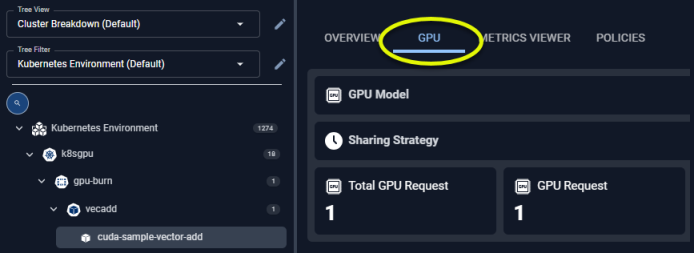
The cards on this tab provide a visual overview of a single container's GPU allocation and utilization details. When navigating the [tree viewer](/docs-kubex/Content/Kubex/Using_the_Tree_Viewer), you will see this tab when a single item, with allocated GPU resources, is selected.
You will see the [Summary Tab](/docs-kubex/Content/Kubex/Summary_Tab) when more than one container is selected.
## GPU Summary
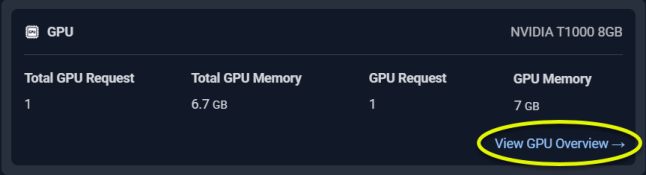
This card summarizes the GPU allocation and for the selected container. This card is only displayed if the GPU resources have been allocated to this container. A hyperlink at the bottom of the card takes you to the GPU page.
GPU Model
Sharing Strategy
Total GPU Request
GPU Request
Total GPU Memory Request
GPU Memory Request
## Utilization Charts
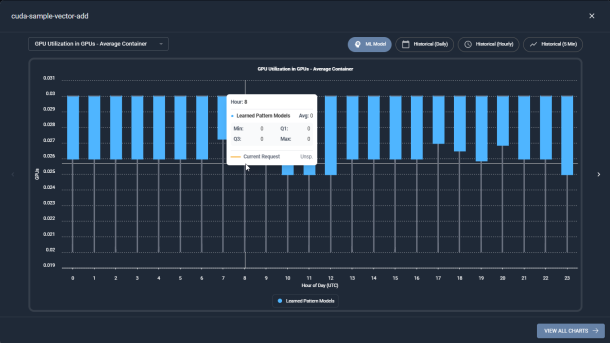
The last section provides utilization charts that show hourly min/max and sustained activity for the selected container. See [Analysis Details Utilization Charts](/docs-kubex/Content/Kubex/AI_Analysis_Details_Charts) for details on using these charts to review workload data.
GPU Utilization (GPUs) - Average Container
Number of Containers
GPU Memory Utilization (MB) - Average Container
GPU Memory Utilization (%) - Average Container
All other metrics are available on the [Metrics Viewer Tab](/docs-kubex/Content/Kubex/Metrics_Viewer_Tab) tab. You can also expand any chart to the modal view and adjust the timeline and the type of data to view ML model for the last day or historical data.
A link at the bottom of the modal page takes you to the [Overview Tab](/docs-kubex/Content/Kubex/Overview_Tab) tab for the selected instance.
 ## GPU Summary
This card summarizes the GPU allocation and for the selected container. This card is only displayed if the GPU resources have been allocated to this container. A hyperlink at the bottom of the card takes you to the GPU page.
## GPU Summary
This card summarizes the GPU allocation and for the selected container. This card is only displayed if the GPU resources have been allocated to this container. A hyperlink at the bottom of the card takes you to the GPU page.