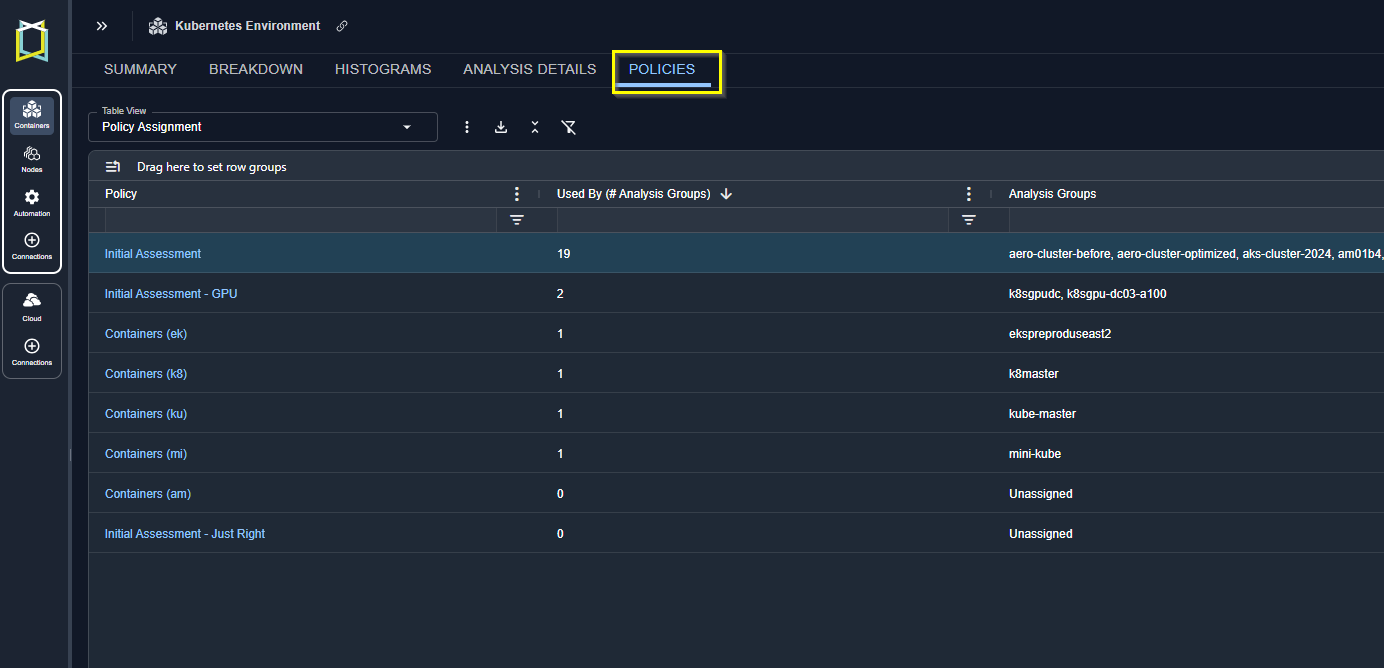
Figure: Policies Tab
- Policy Settings—Shows you commonly used policy settings, their current values and a description.
- Policy Comparison—Shows you policy settings and their current values in a vertical list.
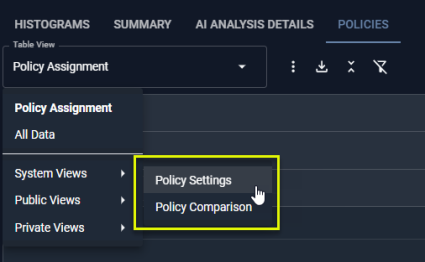
Figure: Policy System Views
Table: Policy Details Table
Table: Policy Details Table
| Column | Description |
|---|---|
| Policy | The policy name. |
| Used By (Number of Analysis Groups) | The number of environment analysis that are using this policy. . |
| Analysis Groups | The names of the analysis groups using this policy. |
Policy Modal View
Clicking the policy hyperlink opens a summary view. The displayed settings are a subset of the complete policy. These are the most commonly tuned settings, that align the Kubex analysis to the specific requirements of your environments. Policies can be edited here if you have the “policy_admin” role. You can send a request to your Kubex account manager for edit access.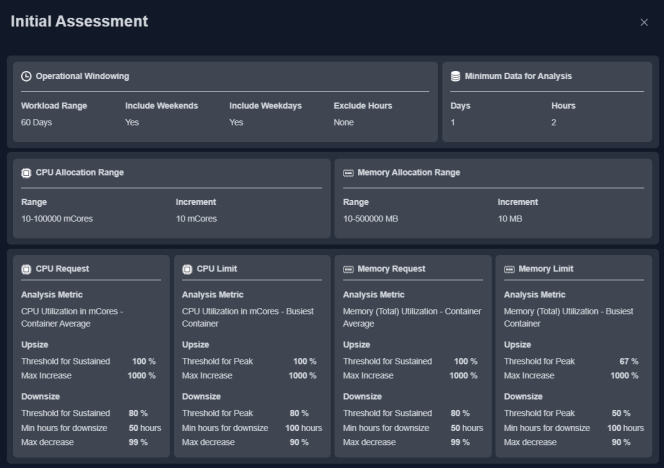
Video Resources
Policy Defined Management
Policy Defined Management
Using the Tree Viewer
Using the Tree Viewer