

Instance Optimization Details
This card lists the following details for the current instance type.- Optimization Type
- Policy
- Monthly Waste
- Effort
- Instance Type
- Monthly Cost
- CPUs
- CPU Benchmark
- Memory (GB)
Impact Analysis and Recommendation Report
The Impact Analysis and Recommendation report provides a PDF version of the instance details. You can easily share this report with the application owner to share your proposed sizing recommendations.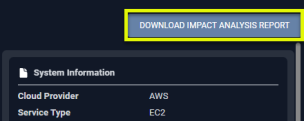
Figure: Generating the Impact Analysis and Recommendation Report
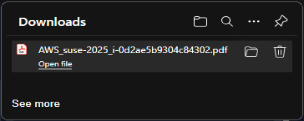
Figure: Downloading the PDF
Note: This report is not available for Azure VM Scale Sets.
When you click the button, a popup opens with a link. You can save or download the file.
The filename will be
<cloud provider>_<system name>_<system_id>.pdf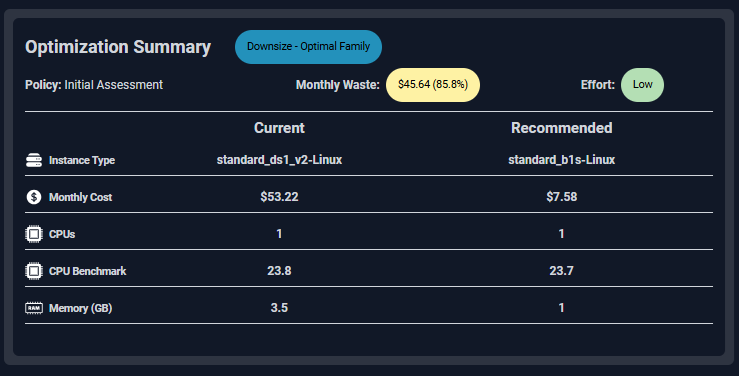
Figure: Instance Optimization Summary Details
System Information
This card indicates identifying details for the selected instance.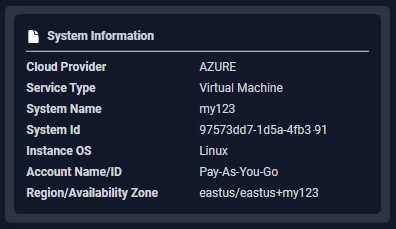
Figure: System Information Card
- Cloud Provider
- Service Type
- System Name
- Instance ID
- Instance OS
- Account Name/ID
- Region/Availability Zone
Status Overview
This card indicates the status of the current instance.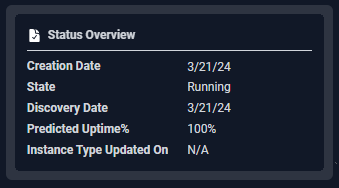
Figure: Status Overview