

Configuring OCI Connections
- Click the Add button and select OCI.
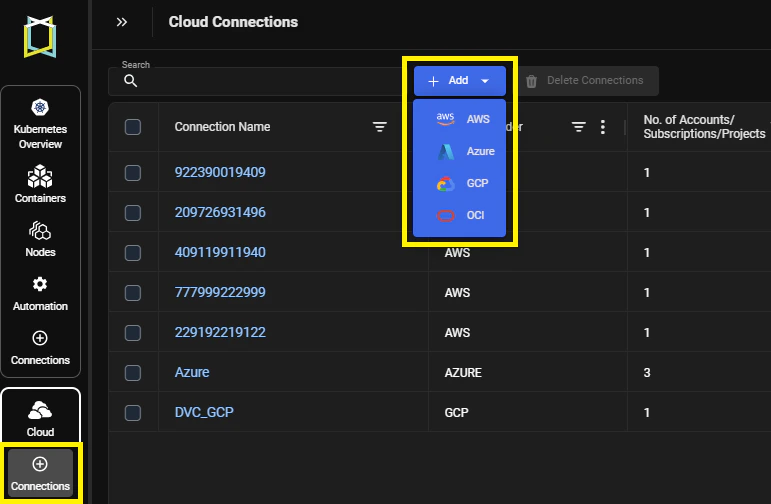
Figure: Accessing the Add Button
- Enter the OCI-specific connection parameters.
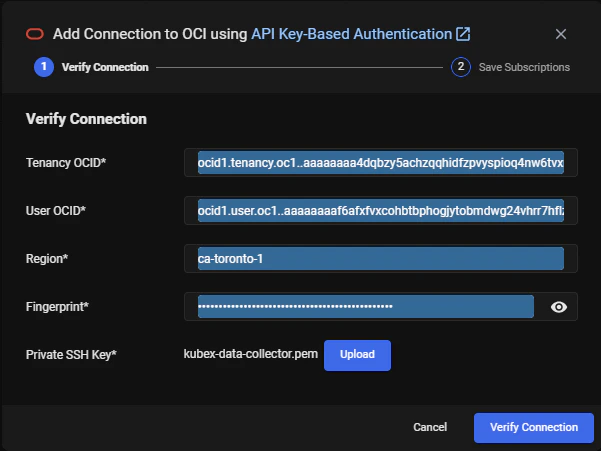
Figure: OCI Connection Window
Table: OCI Connection Parameters
Field Description Tenancy OCID The Oracle Cloud Identifier (OCID) for your tenancy. User OCID The OCID for the API-Key user you created in the OCI Console for Kubex data collection. Region Identifier The identifier for the home region assigned to your tenancy. API Key Fingerprint The fingerprint for the API key you created in OCI for the Kubex data collection user. Private Key File The private key file you created in OCI for the Kubex data collection user. This file must be in PEM format. - Verify your connection by clicking the Verify Connection button.
- If the credentials are valid, you will be connected and authenticated.
- If the credentials cannot be validated, then review the displayed error message and correct your credentials. See Troubleshooting OCI Cloud Connections for details.
- Once the connection to the tenancy is verified, you can edit the connection name or use the prefilled tenancy name. This name will appear in the Cloud Connections list so you can easily identify this connection. When ready, click the Save button to save your connection.
- If you want to connect another tenancy, click Add and repeat these steps to configure the connection.
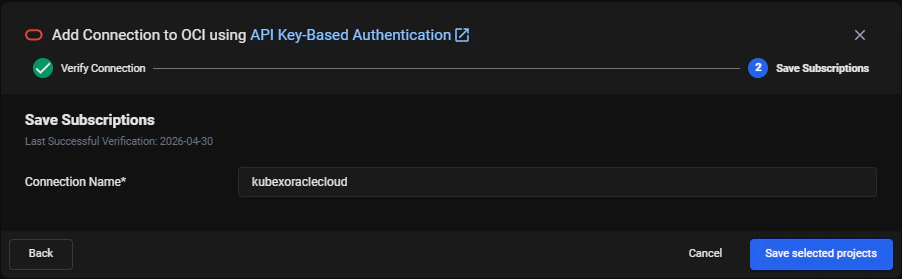
Figure: Save OCI Connection Window